From Stone Age to AI
Computing Machines and the Automation of Computing and Thought
Learn how humanity progressed from early counting tools to modern programming languages and artificial intelligence.
A beginner-friendly journey showing how humans moved from early calculating tools, to number systems, to electronic computers, to programming languages, and finally to AI. While this is a non-coding course, some programming concepts and code examples will be demonstrated to help illustrate how computers and software work. Students will be encouraged to explore optional hands-on exercises and deeper study on their own if they choose.
Deep Dive and Parallel sections are supplemental sections used to explore
additional concepts, related technologies, historical information, side topics,
and advanced discussions that may go beyond the main structured lessons.
These sections are intentionally more exploratory in nature and may contain
large collections of notes, reference material, comparisons, experiments,
historical context, brainstorming ideas, or partially organized information
intended to encourage curiosity, independent research, and further study.
Some Deep Dive and Parallel sections may evolve over time as the course grows
and additional material is added.
How to read each weekly section

Optional but highly recommended. This is part of the paid course and gives the historical backbone for the week.

Required foundation. This is the main lesson students should understand before moving forward.

Optional tools, links, software, references, and hands-on resources for students who want to explore the technical side in more depth.

Optional advanced expansion for curious students who want more depth than the main course requires.

Optional side path. These topics show related technologies and where the ideas connect later.

Practice prompts that teach students how to use AI as a study partner, not just as an answer machine.
One of the most valuable aspects of this course is the opportunity to learn alongside other educators and technology-curious students. Through the private Telegram group, participants can ask questions, share insights, discuss classroom applications, and benefit from the experiences of others working through the same material. Alumni may remain in the community, creating an ongoing network of support and collaboration where new students can learn from past participants and continue exploring how computing and artificial intelligence are reshaping education and society.
There will be no formal certification or final grades. Optional quizzes and exercises may be provided to reinforce learning and help students gauge their understanding. What I want students to take away from this course is a memorable, practical understanding of key terms, concepts, and historical developments that they can use and relate to in their careers, classrooms, and everyday discussions about technology.
This section explains what a normal course week looks like, how daily assignments are
handled, and what kinds of live help may be available.
The full course outline is available from the start so you can see where we are headed.
Detailed lessons, downloads, and assignments are released one week at a time to help you
stay focused and avoid information overload.
New weekly direction begins. Students review the week introduction, watch or listen to material, and complete the first small assignment on their own time.
Students continue with the next lesson and assignment by reading some kind of documents. This could be in the form of PDF, a Web page, a text file, a source code file or any combination. But the focus of this course is steady daily progress without requiring everyone to be online at the same time.
Midweek work continues with another focused lesson, practice task, or reflection question tied to the course outline.
Students build on the earlier lessons and prepare questions for the optional live Q&A or recorded support material.
The week wraps up with a review assignment, checkpoint, or summary activity so students can see what they learned before moving forward.
The course is planned at $25 per week. Coursework is assigned daily, Monday through Friday, and students complete it in their own time.
A live question-and-answer meeting may be offered once per week. Attendance is optional, and recordings will be made and shared when possible.
Additional live help may be arranged when needed using chat, voice, video, or desktop sharing for troubleshooting and deeper explanation.

This course is taught by Larry D. Gray, a hands-on technologist, educator, and software
developer with more than four decades of experience studying computers and programming.
I teach through imagery, visualization, analogies, and simplicity. One of my strengths
is understanding how the layers of computing fit together and explaining them in a way
that is easy to understand, from the core workings of a computer to top modern layer of
artificial intelligence systems.
I focus on teaching concepts rather than memorization. Syntax, commands, and software
tools change over time, but a solid understanding of the underlying concepts will stay
with you for life.
My teaching philosophy is similar to ideas often attributed to physicists Albert Einstein and Richard Feynman: if you cannot explain something simply, you may not fully understand it yourself. I believe one of my strengths is breaking complex subjects into smaller pieces and creating visualizations, analogies, and examples that most people can understand. One of my own sayings is: "If you can find the right metaphor or analogy, you can understand almost anything."
I completed two years of formal computer science education at Arkansas Tech University
and have spent many years studying software development, computer systems, networking,
and emerging technologies.
Over the years, I have worked in office business, transportation, military, restaurant,
and service-related fields. These experiences gave me opportunities to train and teach
soldiers, employees, coworkers, and students in a variety of roles and responsibilities.
Many of the teaching techniques I developed in non-technical careers carry over into this
course and future courses. At the same time, I have spent countless hours studying,
reading, practicing programming, building computers, working with networks, and learning
from experienced professionals. While much of my technical knowledge was gained through
independent study and hands-on experience, I am confident in both my technical foundation
and my ability to teach complex subjects in a clear and understandable way.
My goal with this course is not simply to teach facts about computers, artificial intelligence, coding, or software engineering. It is to help students build a mental framework for understanding how computing evolved, how computers and software are built layer upon layer, and how today's AI systems fit into the larger history of automation and technology.
Professional certifications earned throughout my career include:
- Sun Certified Programmer for the Java 2 Platform (2000)
- FCC General Class Amateur Radio Operator License (2008)
- CompTIA A+ Certified Technician (2017)
- Intuit Certified Bookkeeping Professional (2025)
- Intuit QuickBooks Online Certified ProAdvisor (2025)
Additional experience includes:
- Over 40 years studying computers and technology
- Programming experience dating back to the Commodore 64 (mid 1980's) era
- More than 24 years of Java programming experience
- Experience with software development, networking, web development, and AWS(Amazon) cloud hosting
- Former online coding instructor for school-age students
- 8 years of service in the United States Army Reserve
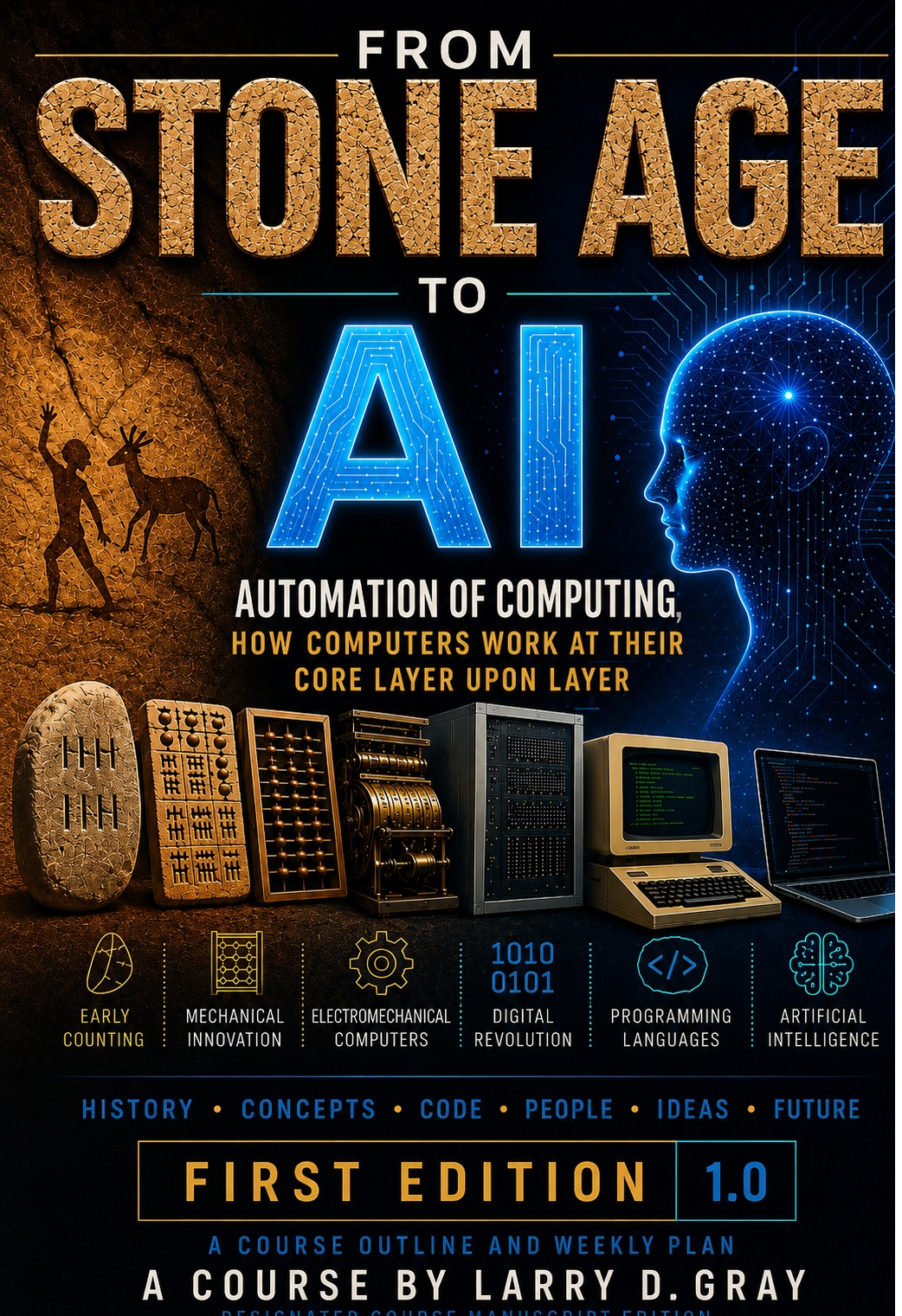
I originally created this book to protect and preserve the course outline and the many years of research, notes, concepts, examples, and teaching material that contributed to its development. Over time, it became more than just a copyright record. It evolved into a companion guide and reference book that follows the course structure while providing additional explanations, examples, tips, resources, and topics for further study. Whether used alongside the course or as a standalone educational reference, the book contains a wealth of information for anyone interested in the history of computing, programming, software development, and artificial intelligence.
Stone Age to AI on Kindle
Amazon Kindle BookStone Age to AI also available as Paperback
Amazon Paperback BookCompanion Reference Guide
From Stone Age to AI: Automation of Computing and Thought
This companion reference guide follows the course structure and provides a desktop reference for the major concepts discussed throughout the course.
The book includes the complete course outline along with expanded explanations, glossary terms, study notes, and additional reference material not available in the online outline, making it a valuable companion for students and independent learners alike.
Topics include:
- Early Counting and Calculating Tools
- Binary and Number Systems
- Computer Architecture
- Machine Language and Assembly
- The C Programming Language
- Object-Oriented Programming
- Modern Software Development
- Artificial Intelligence Foundations
The guide may be used as a standalone educational reference or alongside the From Stone Age to AI course.
Author: Larry D. Gray
From Stone Age counting aids to early analog and mechanical machines, students see how
humans
created tools to extend memory, counting, measurement, and prediction. Charles Babbage, the
first major name in computer science, designed four calculating machines. His fourth design,
the Analytical Engine (1837), was very conceptually close to a modern computer, although it
was
never completed.
Long before electricity, humans created tools that extended memory, automated calculation,
and predicted complex systems. Modern computers are the latest expression of this ancient
desire to mechanize thought.
Tally sticks, the abacus, astrolabes, slide rules, and the Antikythera mechanism show that computing began long before electronics.
Students learn that computing is not just modern programming; it is the long human effort to automate counting, comparison, and decision-making, often used in navigation, surveying, and timing celestial or seasonal events. This section includes a more detailed look at the astrolabe, circular slide rule, and the evolution of clocks up to pendulum clocks.
Optional expansion can include analog fire-control computers, navigation tools, and mechanical calculators. Examples include submarine and U-boat torpedo calculators, missile trajectory calculators, and bombsights. The textile industry also used programmable machines such as the Jacquard loom (1804) for weaving cloth, rugs, and carpets.
Mechanical analog, mechanical digital, electrical analog, and electrical digital systems. How are values and states stored in each type? How are values input and output? This study also covers the development of clocks up to Babbage, just prior to electrical and later crystal-controlled clocks.
Example prompts: What was the Antikythera (100 BC) mechanism, and why do people call it an ancient computer? What were the Pascaline (1642) and Curta (1948) mechanical calculators?
This section explains why humans use different number systems and why electronic
computers settled so strongly on binary representation. It also explains the
numbering systems commonly used in programming languages.
Computers do not understand numbers the way humans do.
They store patterns, and we decide what those patterns mean.
Students compare decimal, Babylonian base-60, Roman numerals, and other counting systems to see that number representation is a design choice. Humans use base 10, while everyday systems often use mixed bases such as 12 inches per foot, 24 hours per day, 60 minutes per hour, 360 degrees in a circle, and 5,280 feet in a mile. Other civilizations used systems such as Roman numerals, Babylonian base-60, and Mayan base-20. Fictional aliens might use base 3, 52, or 77. Computers primarily use base 2 (binary), while programming languages often use base 16 (hexadecimal), base 10 (decimal), and occasionally base 8 (octal).
Students learn bits, bytes, binary, hexadecimal, simple conversions, and how numbers and characters are represented inside a computer. Binary can be compared to a combination lock with only two positions on each tumbler. A byte has eight tumblers, giving 256 possible combinations. This section also explains number storage and simple arithmetic. How negative numbers are stored Two's Compliment. Data sizes Bit, Byte, Kilobyte, Megabyte, Gigabyte, Terabyte.
Optional topics include signed numbers, floating-point representation, error correction, ternary computer experiments (such as the Soviet Setun in 1958 and Setun-70), and why binary became dominant. Mainframe storage in words, double words etc.
Students can connect number systems to logic gates, digital electronics, ASCII, Unicode, color codes, file sizes, and memory addresses. This section also explores electronic components that represent on/off states, including relays, transistors, and voltage levels, as well as components such as capacitors that can store information. Tapes, Disk, Optics, SD.
Example prompts: Show me step by step how decimal 255 becomes FF in hexadecimal. Show me a side-by-side table of decimal, binary, and hexadecimal values from 0 to 16. What kinds of computers exist other than the CPUs we commonly use? What are biochemical, optical, DNA, atomic, and quantum computers? What is a quantum computer, and will it replace conventional computers?
Students learn the basic machine model: a processor following instructions, memory holding values, and a clock coordinating the work.
From Babbage to Lovelace to Turing to von Neumann to the 8-Bit Era and Beyond
This week explains the core ideas that make all computers work. Relays, vacuum tubes, transistors, and integrated circuits evolved into modern processors. Once a machine can store data (memory), make decisions (if/else), repeat instructions (jumps and loops), and perform calculations (expressions and variables), it becomes capable of universal computation. This property is called Turing completeness. We trace the historical development of computing from Charles Babbage's mechanical designs, to Ada Lovelace's insight that machines could manipulate symbols, to Alan Turing's theoretical foundations and wartime work, to John von Neumann's stored-program architecture, and finally to the 8-bit personal computers of my early days that introduced computing to millions of people. We then work our way from the 1980s to today.
Founding Fathers and Mother (First Programmer)
-
Charles Babbage (1791-1871)
Designed the Analytical Engine, a mechanical computer concept with a "mill" (CPU), a "store" (memory), and punched-card programming. -
Ada Lovelace (1815-1852)
Wrote what is widely regarded as the first published algorithm intended for a machine and recognized that computers could process more than numbers, including music and symbols. -
Alan Turing (1912-1954)
Developed the concept of the Turing machine and helped break German Enigma codes during World War II. His story is dramatized in the film The Imitation Game. Turing also contributed to the design of machines used at Bletchley Park. Colossus, the first large-scale programmable electronic computer, was used to break the Lorenz cipher of the German high command. -
John von Neumann (1903-1957)
Formalized the stored-program architecture, in which instructions and data reside in the same memory. Mainstream languages such as C, C++, Java, and JavaScript are often described as von Neumann languages because they emphasize statements, loops, variables, if/else logic, and expressions. -
8-Bit Era (1970s-1980s)
Computers such as the Apple II, TRS-80 Model I, Atari 400/800, and Commodore 64 brought computing into homes, schools, and small businesses. I grew up on the Commodore 64 and used it for nearly a decade. -
Modern Computing and AI
Today's systems are enormously faster and more complex, but they still follow the same core principles envisioned by these pioneers. What has been added are layers of optimization and abstraction. Performance has increased exponentially rather than linearly. AI applications can be viewed as software libraries built from objects, which are built from functions and subroutines, which are built from machine instructions. Bits -> Bytes -> Instructions -> Subroutines -> Objects -> Libraries -> AI Applications. Modern AI also depends on massive datasets and, often, the internet for training and information retrieval.
Students learn CPU, RAM, storage, input, output, and clock cycles; what a program is made of; commands (instructions) or statements; loops and branching; decisions; expressions; variables; and algorithms. Briefly: machine language vs. assembly language vs. C vs. higher-level languages. Machine subroutines are used to repeat code. Machine subroutines can also function as routines that return values. 4-bit, 8-bit, 16-bit, 32-bit, and 64-bit architectures. Clock speeds: 1970s - kilohertz (kHz) 1980s - megahertz (MHz) 1990s - hundreds of megahertz 2000s - gigahertz (GHz) 2010s to today - multicore processors.
Optional topics include registers, flags, interrupts, and the differences between subroutines, functions, procedures, and methods. Larger architectures may use 128-bit, 256-bit, 512-bit, or even 1024-bit registers for specialized operations. Could a CPU be designed to process fewer bits per clock cycle? Yes. In principle, a 2-bit or even 1-bit CPU is possible. A 1-bit processor is essentially a serial processor, and such designs have existed.
Relay logic began in industry to control automated machinery. This has continued into the computer age as PLC (Programmable Logic Controller) programming. Students can connect this section to CompTIA A+, PC hardware, motherboard diagrams, embedded systems, and troubleshooting. Ask: What was the architecture of the Apollo Guidance Computer used during the moon landings?
Example prompts: Explain how a CPU executes one instruction step by step using a simple pretend computer. Explain caches, pipelines, memory maps, and simple CPU diagrams. What is bytecode, and what are virtual machines? What is Java bytecode and the Java Virtual Machine? Java has bytecode, but do all virtual machines have "bytecode"? Show me simple examples of Java bytecode. Show me simple examples of machine language. Show me simple examples of assembly language. What's the difference between an algorithm, a program, and a subroutine? What is an algorithm.
This section introduces the native language of the CPU and the human-readable
assembly language layer that sits just above machine code. The goal is to
bring together many of the core Turing and von Neumann concepts introduced
in previous sections and show how they are implemented in actual computer
instructions.
Topics include instructions, opcodes, operands, registers, flags,
interrupts, branching, looping, jumping, decisions, arithmetic and logic,
input, processing, output, memory, the Program Counter, the stack,
subroutines, simulated functions, and addressing modes.
By the end of this section, students should have a clear conceptual
understanding of how a processor executes instructions one step at a time
and how all higher-level languages ultimately reduce to these same
fundamental operations.
Early programmers worked very close to the machine. Programs were entered
through front-panel switches, plugboards, punched cards, paper tape, and
later assembly language. Regardless of the medium, the programmer was still
specifying a sequence of basic instructions for the computer to execute.
At the lowest level, nearly every instruction set can be broken into a small
set of fundamental operations:
Load data
Store data
Perform arithmetic and logic
Compare values
Make decisions (conditional branching)
Repeat operations (loops)
Call subroutines
Handle input and output
Stop or halt
The earliest computers had relatively small and simple instruction sets.
ENIAC (1945), for example, was programmed by setting switches and rewiring
cables.
EDSAC (1949) and early IBM systems began using stored programs, where
instructions
were kept in memory and could be changed without rewiring the machine.
When we enter the age of microprocessors and calculators, the same ideas
appear on a
smaller scale. The first commercial microprocessor, the Intel 4004, was
originally
designed for calculators. It was followed by:
4-bit processors (early 1970s, calculators and controllers)
8-bit processors (mid-1970s to 1980s: MOS Technology 6502, Zilog Z80, Intel
8080)
16-bit processors (late 1970s to 1980s: Intel 8086)
32-bit processors (1980s through 2000s)
64-bit processors (mainstream consumer systems by the 2000s and 2010s)
That progression describes the consumer and small-business market, but
larger
organizations had powerful systems long before desktop computers became
common.
In the 1960s and 1970s, governments, universities, and large businesses
relied on
minicomputers and mainframes such as the IBM System/360, DEC PDP-8, and DEC
VAX-11/780.
These systems often featured larger word sizes, more registers, and more
sophisticated
input/output capabilities than consumer machines.
Some specialized systems used very large word sizes—128 bits, 512 bits, or
even
larger—particularly in vector supercomputers such as the Cray-1. In these
machines,
a “512-bit register” often meant a vector register holding many values at
once rather
than a single ordinary integer.
As architectures grew more capable, instruction sets often became larger and
more complex. This
design philosophy became known as CISC (Complex Instruction Set Computer).
The Intel x86
is a classic example, with a large instruction set and decades of backward
compatibility.
In the 1980s, researchers revisited a simpler design philosophy called RISC
(Reduced Instruction Set Computer). Systems such as MIPS, SPARC, and later
ARM emphasized smaller, simpler instructions that could be executed very
efficiently.
Whether a computer is mechanical, vacuum tube, transistor, or modern
silicon,
the central idea remains the same: a computer executes a sequence of simple
instructions to move data, process it, make decisions, and produce output.
Everything from calculator chips to smartphones to AI systems is built on
that same fundamental model.
Students will learn the fundamental concepts of machine language
and assembly language, including opcodes, operands, registers, flags,
labels,
jumps, branching, simple memory access, and the relationship between
assembly language and the underlying machine instructions executed by the
CPU.
Examples will be kept deliberately simple. This is a non-coding course;
the objective is not to teach the syntax of any particular assembly
language, but
to reveal the concepts that all assembly languages and instruction sets have
in common.
To that end, I will frequently use pseudo code, mock assembly language, and
simplified
diagrams that emphasize ideas over technical detail.
Students may also “play computer” on paper, manually stepping through
instructions and
updating registers, memory, and output as software engineers often do on
whiteboards around
the world. This exercise helps make the fetch-decode-execute cycle concrete
and understandable.
Where useful, I may demonstrate examples using 8-bit assembly language from
classic home
computers such as the Commodore 64, whose 6510 processor provides a clean
and historically
important example of a simple instruction set. Emulators for most popular
historical computers
are readily available for Windows, Linux, and macOS.
I will also refer students to the excellent online Little Man Computer
Simulator, which
provides a highly simplified educational computer for experimenting with
machine language concepts.
Finally, I may demonstrate selected examples on an IBM System/370 emulator.
The IBM
System/370 represents a historically significant large-scale computer
architecture and
offers students a glimpse into the assembly language used on business,
government, and
university mainframes during the 1970s and beyond. I will also provide some
deep dive examples
for some PC apps that can be made to run at the console, similar to console
commands.
The goal of this week is to help students understand that all software—from
C and Java
to modern operating systems and artificial intelligence systems—ultimately
reduces to a
sequence of simple instructions executed one step at a time by a machine.
Code that runs directly as machine code, or as compiled native code,
generally runs most efficiently on a computer because all interpreter
overhead has been removed. The processor executes the instructions directly
rather than first translating them at runtime.
In theory, you could write all of your software in assembly language and
produce some of the fastest and smallest programs possible. In practice,
however, it would take an enormous amount of time to develop programs of any
significant size or complexity, which includes most software written today.
Assembly language is powerful, but it is also tedious to write, debug, and
maintain.
This is why higher-level languages came into being. Languages such as
FORTRAN,
COBOL, C, C++, Java, and Python were developed to make software easier for
humans
to read, write, debug, and maintain. Although these languages may introduce
some
overhead, they greatly increase programmer productivity and make it possible
to build the large and sophisticated systems we rely on today.
JIT, or just-in-time compilation, is where higher-level language code is
converted into machine code while the program is running.
This can happen from a scripting language down to machine code, or from
bytecode down to machine code.
Inline code is where small sections of code, such as simple loops or
frequently used operations, are expanded directly into machine code to
improve efficiency.
In some languages and runtime systems, code that runs often can be
recompiled and optimized more than once to reach greater efficiency.
I will provide some code for simple keyboard input, screen output, and file
read/write operations for both Windows and Linux.
I will also recommend compilers and may provide video demonstrations.
This is meant to demonstrate making simple console commands.
Usually this is done with C, not assembly language.
Assembly language will be used only to help students fully grasp the machine
itself and how it works internally.
Look into various electronic controllers and embedded computing
platforms. To name a few: Phidgets, Pyboard, ESP32, Arduino, and the PLC
(Programmable Logic Controller) systems we mentioned in previous study.
Phidgets supports a wide variety of programming languages, including Java,
Python, C#, and others. Pyboard is designed primarily to run Python through
MicroPython. ESP32 can be programmed in C, C++, MicroPython, and
JavaScript-based
environments. Arduino is most commonly programmed in a simplified form of C
and C++.
Although these platforms are typically programmed in higher-level languages,
all of them ultimately execute machine instructions specific to their
processors.
In principle, you can study and program most of them in assembly language,
although
I have not yet explored that in depth myself.
Among these devices, you will find a wide range of processor architectures,
including 8-bit, 16-bit, 32-bit, and 64-bit systems.
The Raspberry Pi is a single-board computer rather than a simple
microcontroller.
It can be used as a controller, but it is also capable of functioning as a
full
desktop or server computer. Modern Raspberry Pi models use ARM processors
and
support both 32-bit and 64-bit operation. They typically run Raspberry Pi
OS,
an ARM version of Linux.
Of all of these, take a look at the ATmega328P used in the Arduino Uno.
This 8-bit microcontroller is small, inexpensive, and has a simple,
well-documented
assembly language, making it an excellent platform for learning how
computers work
at the machine level.
The PIC16F84 is another classic 8-bit microcontroller with a very small
instruction set. It became one of the most popular devices for learning
embedded programming and assembly language during the 1990s.
I could have introduced these simple controllers in the next section, and I
may
move them there later. Most of these platforms are commonly programmed in C
or C++.
However, I wanted to show you a variety of processors and controllers that
you
can explore in assembly language if you desire.
- Show me an example of early assembly language code.
- Show me an example of machine code and explain what each byte represents.
- Show me an example of generic bytecode.
- Show me an example of Java bytecode.
- Show me an x86 assembly language example.
- Show me an IBM System/370 assembly language example.
- Show me an ARM assembly language example.
- Show me a RISC-V assembly language example.
- Show me a Commodore 64 (6502) assembly language example.
- Explain the difference between assembly language and disassembly.
- Show me the same simple program in C64, x86, ARM, and IBM 370 assembly language.
- Give me a simple example showing how RISC assembly differs from x86 assembly.
- Compare CISC and RISC instruction sets with code examples.
- Show me how a Java statement is translated into Java bytecode.
- Show me how Java bytecode is translated into machine code by the JVM.
- Give me a brief synopsis of the Intel 80386 instruction set.
- Show me how a loop looks in assembly language.
- Show me how an if/then decision is implemented in assembly language.
- Show me how a function or subroutine call works in assembly language.
- Show me how registers and flags are used in a simple assembly program.
- Show me how machine code, assembly language, and a high-level language relate to one another.
C shows how programming moved above raw assembly language while still staying close enough to the machine to reveal how memory and system behavior work. In machine language and assembly, programs are written as sequences of instructions and subroutines. In C, programs are organized into statements, functions, and libraries of reusable functions. Although C is built entirely around functions, it is not a functional programming language. Instead, it is a procedural language designed for the classic von Neumann computer architecture, where instructions operate on data stored in memory.
C grew out of the need to build Unix and other portable
systems software without rewriting everything for every
machine.
Java came along about 25 years later and achieved a very high
degree of portability through the Java Virtual Machine (JVM).
Carefully written ANSI/ISO C is also highly portable, though
not to the same extent as Java.
Carefully written ANSI/ISO C: often 80-95% portable.
Typical practical C code: often 60-90% portable.
OS-specific or hardware-specific C code: much lower.
BCPL (Basic Combined Programming Language)
BCPL was created in 1966 by Martin Richards at the University
of Cambridge. It was designed as a simple, portable systems
programming language and directly inspired the B programming
language.
B Programming Language
B was developed around 1969 by Ken Thompson at Bell Labs.
It was a simplified version of BCPL used to help create early
versions of the Unix operating system. B lacked built-in data
types, and its limitations led Dennis Ritchie to develop C in
1972.
C Programming Language
C was developed in 1972 by Dennis Ritchie at Bell Labs as an
improved version of B. It added data types, pointers, and
structures, making it powerful enough to rewrite much of the
Unix operating system in a portable high-level language.
C went on to become one of the most influential programming
languages ever created and has been used to implement large
portions of many operating systems, including Unix, Linux,
Windows, macOS, iOS, Android, and countless embedded systems
and microcontrollers.
The goal is not to teach C in depth, but to use C to demonstrate core computing concepts such as:
- Variables and data types
- Functions
- Control flow (
if,while,for) - Arrays
- Pointers and memory addresses
- Structured programming
C is a compiled language. Source code files are converted into object files, which are then linked together to create the final executable file. Scripting languages often have two basic steps: write and run. Compiled languages usually have three basic steps: write, compile, and run.
Examples will be shown for both Linux and Windows. Linux uses the GCC command-line tool. Windows uses the Code::Blocks IDE, which includes a Windows version of GCC. Microsoft also provides its own C/C++ compiler through Visual Studio.
On Linux, the basic command is:
gcc input-source-file.c -o output-executable-file.
The executable file is then run from the command line.
On Windows, students can compile the source code in Code::Blocks and then run the resulting executable from the console as if it were a system command.
If the program outputs to the console, the results are displayed after the program runs. If it reads from a file, it may display information, write back to the same file, or write to another file. If the program writes to a file, students can use the
type command or Notepad to view the file contents.
The first program is traditionally called Hello, World!, a kind of "baby program" that proves the software can be compiled, started, and produce output. This same pattern applies throughout software development, whether building console tools, web applications, client-server systems, or mobile apps.
Students will see that output can be directed to many destinations, including:
- The screen
- A printer
- A file
- A network connection
- A log file
- A database
Next, students will learn basic file input and output. Memory is temporary; when the power is turned off, everything in RAM is lost unless it is saved to permanent storage.
Students will learn that a C console program is essentially the same kind of program as a system command. Demonstrations will show how command-line arguments are passed into a C program for processing.
Lastly, students will be shown how programs follow the basic pattern of input, processing, and output. The processing step is usually built from what programmers call an algorithm. An algorithm is a step-by-step procedure for solving a problem or completing a task.
Students will be introduced to algorithms, pseudocode, and flowcharts as early ways to plan program logic before writing code. Later, these ideas connect to UML diagrams. More specifically, object-oriented program flow is often shown with a UML activity diagram.
Syntax is the grammar of a programming language, and it must
be exact. If the syntax is incorrect, the compiler will
generate an error message showing what it did not understand,
along with a line number and other helpful information.
A semantic error, also called a logic error, occurs when the
code is syntactically correct but does not produce the intended
result. In other words, "You did what I told you to do,
computer—not what I wanted you to do!"
Compiled languages report errors detected during compilation,
such as syntax errors and type mismatches. Both scripting
languages and compiled programs can also experience runtime
errors while executing.
Also see:
- Macros (
#define) - Symbolic constants with
const - Enumerated types with
enum - Inline functions with
inline - Differences between macros and functions
- Conditional compilation (
#ifdef,#ifndef) - Header files and library interfaces such as
<stdio.h>and<stdlib.h> - The
#includedirective - Include guards to prevent multiple inclusion
↓
Byte
↓
Primitive Types
↓
Arrays
↓
Structures / Records
↓
Objects
↓
Advanced Data Structures
- Linked Lists
- Stacks
- Queues
- Trees
- Binary Trees
- Graphs
- Hash Tables
- Sets
- Maps / Dictionaries (key-value pair data structures often implemented using hash tables)
- Heaps
- Records / Structures
Searching Algorithms
- Linear Search
- Binary Search
- Jump Search
- Interpolation Search
- Exponential Search
- Depth-First Search
- Breadth-First Search
- Hash-Based Search
- Ternary Search
- Fibonacci Search
Sorting Algorithms
- Bubble Sort
- Selection Sort
- Insertion Sort
- Merge Sort
- Quick Sort
- Heap Sort
- Shell Sort
- Radix Sort
- Counting Sort
- Bucket Sort
- Tim Sort
Related languages and shell scripting. Shell scripts are used to automate system tasks that you would normally perform manually at the command line.
- C++
- Objective-C
- C#
- Java
- Rust
- C Shell (
csh) - Bash Shell (
bash) - Shell scripting
Students are encouraged to study operating systems and
command-line environments, including Unix, Linux, DOS,
Windows, and PowerShell. It is also helpful to learn the
structure of Linux and Windows file systems and how programs
interact with files, directories, and devices.
The world of system commands is a useful parallel study
because operating systems provide hundreds of small programs
that can be run from a command line. These commands can be
grouped into categories such as navigation, file management,
text processing, networking, process control, and software
development.
Both Unix/Linux and Windows provide command-line environments
where commands are entered in a similar way. A C console
application follows the same model as any system command: it
accepts parameters, reads input, performs work, and produces
output.
A main takeaway from this course should be that the command
line has never gone away. Despite graphical user interfaces,
software engineers and system administrators continue to use
the command line extensively.
- Show how a C pointer relates to a memory address using a simple drawing-like explanation.
- Explain a Java reference.
- How are C pointers and Java references different?
- Why does Java not have pointers?
- Explain the evolution of computer operating systems.
- What are pipes and redirection at the command line?
- What are standard input, standard output, and standard error?
- Is an operating system like a musical conductor or an air traffic controller?
- What does the operating system do or manage exactly?
- What are the classifications of operating system commands?
- Show me a good linear search algorithm, flowchart, pseudocode, and C code.
- Show me a good bubble sort algorithm, flowchart, pseudocode, and C code.
- Show me a guessing game algorithm, flowchart, pseudocode, and C code for a game where the computer randomly picks a secret number and the player repeatedly guesses the number. The computer should respond with “Higher,” “Lower,” or “Correct” until the number is guessed.
- What are data structures?
- List common types of data structures.
- What are arrays and why are they considered data structures?
- What are variable types?
- What are primitive variables?
- What are non-primitive variables or reference variables?
- Are variable types and data structures the same thing?
Programs became programs within programs. Programming became an assembly line of programs
and programming. Objects are introduced as a way to package data and behavior into
reusable parts that make larger programs easier to organize. However, this was not merely
a great way to organize functions and data. Some programmers use objects that way and
rarely dive into their real strength, which is a system of mini-programs working together.
In OOP we call many of these approaches design patterns. A program is now an application.
An application is a simulation of a real-world problem. That problem is usually a blend of
the actual real world and the computer world. The objects model this. This makes more
complex software easier to write, read, and repair, if designed properly.
So where does the assembly line part fit? It fits in where you need one to hundreds or
even thousands of identical programs running at once. Sometimes that count goes up and down.
A game is a perfect example. You have troops, tanks, planes, and ships on a battle map.
Each one operates independently. As they enter the area, each individual unit is created in
computer memory and spawned onto the map. As they are killed, they are then removed from the
map and from computer memory.
Each unit has its own data. Some data is identical for all units of that type, and some is
unique to the individual unit such as map position, damage taken, or ammo remaining. Units
have some functions that are shared by all units of a general type and some that are
specific
to certain unit types. Code actions are named with (). Such as start(), stop(), move(), and
die().
melee_attack() might be specific to close combat units, while ranged_attack() might be
specific
to ranged units. An attack() method might simply mean attack by whatever means this
particular
unit has available as its general attack action.
Whether it is warfare, business, or other systems, this same principle applies. Many objects
can be created for a single use or a specialized use. I'll give you a final example. Windows
has files and folders. There are icons to represent them and data that stores information
about
the files and folders. Each one shown in a graphical window listing is a computer object.
There
is likely one object type for folders and one for files. Icons are objects as well. However,
each folder object may use the same folder icon object. While you see hundreds of
folder-looking
images, they may all come from one folder icon object being reused many times.
Computers have their objects, businesses have theirs, games have theirs, and everyone else
has
theirs... a whole world of millions of objects. A typical application may load thousands of
them.
Simula and Smalltalk helped introduce object-oriented ideas
before C++, Java, C#, and many later languages spread them widely.
Object-oriented programming traces much of its origin to the 1960s with
the creation of the Simula programming language by Ole-Johan Dahl and
Kristen Nygaard at the Norwegian Computing Center. Simula was originally
designed for simulations of real-world systems such as ships, factories,
traffic systems, and other interacting processes. The language introduced
many foundational ideas of object-oriented programming including classes,
objects, inheritance, and dynamically created objects. Simula demonstrated
that software could model real-world entities as independent interacting
components instead of only using large collections of functions and
data.
In the 1970s, Alan Kay and others at Xerox PARC expanded these ideas
further with the creation of the Smalltalk programming language. Smalltalk
strongly emphasized objects as self-contained mini-programs that communicate
with one another through message passing. Alan Kay described this as a
system
of independent software entities working together much like cells in a
living
organism or machines in a factory. Many modern object-oriented languages
such as C++, Java, C#, Python, and JavaScript were influenced directly or
indirectly by the concepts developed in Simula and Smalltalk.
Going back to the C and Pascal and BASIC languages that I grew up on, C has
a thing
called a Struct, Pascal has a Record, and BASIC had Type. These allowed the
grouping of data into sets. The perfect analogy to this is a database table.
So a struct, record, or type containing address info might access its data
such as addr.street1 addr.zip addr.state addr.city. Each variable could be
any type the language supports, such as integer, real, character, string, or
other types. You could then have a collection of these in an array and it
would
be somewhat equivalent to a database table.
Lets say this collection is acting like a table in a database. You would
then
have operations on this table such as Search(), Delete(), Sort(), List(),
Add(),
or whatever operations are needed. That's just one example. A game engine
might
have a set of functions for a table that contains info on tank units. An
accounting
spreadsheet might have a set of functions for calculations on journal or
ledger
tables.
Under the hood you have already seen that data exists at memory locations
inside
computer memory. Variables reference or point to this data in different ways
depending
on the language and system design. Functions and subroutines also exist at
locations
in memory and can be referenced as well. Structs, records, and types group
related
data fields together into organized units.
So programmers naturally began asking a question. If functions and
subroutines can
also be referenced, why not associate the functions that operate on the data
directly
with the struct, record, or type itself? Why not package the data together
with the
operations that belong to that data? This is one of the major ideas behind
objects
and object-oriented programming.
So you might have print(cashAccount.number) where number is a data field
such as a
string or integer. You might also have print(cashAccount.balance()) where
balance()
is a function associated with that account object that calculates the
balance of the
account. The name cashAccount is the object itself.
Programs were evolving from collections of functions into collections of
objects.
Objects became reusable mini-programs working together inside a larger
application.
This simulation of real-world systems adds some complexity that makes
objects more
than merely combining functions and records. While machine language and
procedural
programming introduced algorithms and structured logic, OOP introduces ideas
such as
inheritance, polymorphism, encapsulation, and more. It also introduces
design patterns,
which are common ways to structure objects to solve recurring software
problems and
organize software architecture. I will leave much of that deeper discussion
to the
Deep Dive and Ask AI sections.
Example prompt: What is error handling and exception handling in programming?
Explain why software systems must detect, report, and recover from problems that
occur during program execution. Discuss how operating systems, programming languages,
runtime environments, and applications handle errors differently.
Explain the difference between an error and an exception. Discuss how errors are
generally serious system-level problems that applications usually cannot recover
from easily, such as hardware failures, memory corruption, stack overflows, or
virtual machine failures. Compare this to exceptions, which are conditions that
software may anticipate and handle programmatically, such as invalid input, missing
files, network failures, divide-by-zero operations, or database connection problems.
Explain the difference between checked exceptions, unchecked exceptions, and runtime
exceptions in Java. Discuss how checked exceptions must be declared or handled by
the programmer, while runtime exceptions generally represent programming mistakes
or unexpected conditions detected during execution.
Compare Exception and RuntimeException in Java. Explain how Exception is the parent
class for many recoverable conditions, while RuntimeException represents unchecked
exceptions that the compiler does not force the programmer to explicitly handle.
Discuss examples such as IOException, SQLException, NullPointerException,
ArrayIndexOutOfBoundsException, IllegalArgumentException, and ArithmeticException.
Explain how try, catch, finally, throw, and throws work in Java exception handling.
Show simple examples demonstrating exception propagation, stack traces, nested
exceptions, and defensive programming techniques.
Discuss how modern software systems use logging frameworks, monitoring systems,
error reporting, assertions, debugging tools, automated testing, and defensive
coding practices to improve software reliability and maintainability.
Students learn classes, objects, fields, methods, encapsulation,
and the basic idea of modeling real or imaginary things in code. Classes are
blueprints for objects. A class is generally known as static and is
available to all
of its copies or objects. Its public parts are also available to other
classes
and objects. Objects are made from classes and are known as dynamic. Objects
are often described as being born and dying. Objects have a life cycle. They
consume
memory while they exist and then are destroyed to free up memory. So it is
somewhat
like loading and unloading mini-programs. A modern application literally
loads and
unloads thousands and thousands of these.
Encapsulation is simply giving out information, access to information, or
control
on a need-to-know basis only. This protects against both accidental and
malicious
misuse. It helps prevent coding errors and makes code easier to read, write,
repair, upgrade, or downgrade. It also hides complexity. The analogy is the
hood
over your car's engine, the panel over an electrical cabinet, or the case on
your
computer. You open that case and the power supply has its own case, then the
transformer has its own casing and wrappings. Complexity is layered and
hidden.
We will discuss and demonstrate public and private access and defer the
others
to Deep Dive and Ask AI.
Inheritance and polymorphism are more difficult to describe and will mostly
be
left for Deep Dive and Ask AI. However, there is generally a primary parent
of
all objects often called Object. Objects you create can inherit fields and
methods
from parent objects. This is where I should also tell you that functions
belonging
to an object are usually not called functions but methods. Yet they are
still
basically functions and can act as either a function or a subroutine
depending
on their design and use.
I intend to demonstrate objects in Java, JavaScript, C++, and C#. I'll let
you
deep dive Python objects on your own. You should take away from these
demonstrations
a solid understanding of what an object is and what an application is in any
modern programming language.
Optional topics include inheritance, polymorphism, interfaces,
composition, design patterns, and when OOP can be overused. Many features in
a programming language can be overused. You only use features when you have
a good
reason to do so. A prime example is inner classes. This is a class defined
inside
a base class definition, also called a nested class. Also, for example, you
generally
make things belong to the object and not the class, meaning not static
unless
there is a good reason to make it static so that all classes may see or use
it.
In OOP, objects were meant to be dynamic, not static.
Design patterns are ways to build objects that work together in solving
common
problems. There are between one and two dozen well-known patterns used
throughout
the industry. A famous book is called GOF, Gang of Four Design Patterns. The famous
GOF book is officially:
"Design Patterns: Elements of Reusable Object-Oriented Software".
A
good
website is Vince Huston Design Patterns. He talks about those and Pizza and
Selfish design patterns as well and gives examples in several languages.
Even without design patterns, OOP is supposed to be intuitive in modeling
real
world problems as a simulation. Any application becomes a simulation using
objects
that message each other. This is the programs-within-programs explanation I
gave earlier to tie it back to prior coding and computer eras.
Sometimes objects contain other objects instead of inheriting from them.
Research
composition vs. inheritance. "Is a" vs. "has a" relationships. Objects often
interact
by sending requests or messages to other objects, which includes methods,
APIs,
event systems, and services. Interfaces define what a method should do
without
defining how it does it. This is called coding by contract. This is also a
design
pattern. You will find many of Java's language features and API features are
design patterns.
I'm sure this is the same in other OOP languages.
Objects are loaded and destroyed. Java has a GC, or garbage collector, for
finding unused objects and freeing up the memory space they used. This runs
in the background occasionally as any Java application is running. So the
amount
of memory a Java application is using actually goes up and down. An object
is eligible for GC when there are no more reference variables set to its
reference value. So if you had one reference, say Journal, for a loaded
accounting
journal, and it is called "journal", setting journal to null, "journal =
null;",
removes that reference to the object. If, for some reason, another reference
variable
has a copy of that value somewhere, it won't die. All references have to be
lost.
C and C++ do not have a GC. Programmers instead manually destroy and free up
resources. Some languages use a hybrid approach where each object keeps its
own reference count, and if the count reaches 0, it frees up memory used by
that
object.
And there is more to OOP, I'm sure. I'll provide some questions in the Ask
AI section for you.
However, break things down into basic, intermediate, and advanced features.
This can be hard to do without experience or trial and error, so ask AI
first:
what are basic, intermediate, and advanced OOP feature breakdowns? But the
point
is to learn to model your problems as a simulation for your solution.
I'm going to give away one more Larry Gray design tip: granularity. You
don't
start an OOP app by making every little thing into an object. Just like
before,
you didn't break down every little thing in a program into thousands of
functions.
So how do you even start with design? In the 1980s, a program was just one
large text file with a few subroutines. This was a monolithic solution. You
certainly have to break the problem into parts and sub-parts. "Divide and
conquer"
is a well-known coding tactic. I teach granularity. Imagine one big pixel
or a 4K screen with millions of pixels. Fine-grained vs. coarse-grained.
Monolithic is the most coarse-grained. One huge class or, in the case of a
C app, one huge function. Hundreds or thousands of code lines. In the OOP
case,
one class with many methods and fields. This is one end of the extreme. The
other
end is over planning and design by making every little thing have its own
class
and subclasses and inner classes and interfaces and you name it. So what do
you
do?
Start with a few main classes and a few minor supporting classes that model
the problem. Learn to use language features only when there is a good reason
to do
so. Keep data and fields private and loosen access when needed for
communication
with other objects. When objects begin to have more than 20 fields and more
than
20 methods, consider breaking them into more objects. When methods begin to
have
more than 20 lines, consider breaking them into more than one method. This
keeps
things more manageable, readable, and scalable.
This breaking things down into
smaller and more manageable parts is a form of rewriting called refactoring.
It helps with better and more refined problem modeling as well. So
applications often
grow from an immature infant program into a fully grown mature
application. As they grow, they usually require better structure, better
object
modeling, refactoring, and better granularity to keep complexity under
control.
And this is why we have version after version and update after update. A
modern application is never actually completed, though it may someday die if
it is no longer supported by developers or a community.
Creational Design Patterns
- Singleton - Ensures only one object instance exists and provides global access to it.
- Factory Method - Creates objects through a method instead of direct constructor calls.
- Abstract Factory - Creates families of related objects without specifying exact classes.
- Builder - Separates construction of a complex object from its final representation.
- Prototype - Creates new objects by copying existing objects.
Structural Design Patterns
- Adapter - Allows incompatible interfaces to work together.
- Bridge - Separates abstraction from implementation so both can vary independently.
- Composite - Treats groups of objects and individual objects uniformly.
- Decorator - Adds new behavior to objects dynamically without changing the original class.
- Facade - Provides a simpler interface to a larger and more complex system.
- Flyweight - Shares common object data to reduce memory usage.
- Proxy - Controls access to another object.
Behavioral Design Patterns
- Chain of Responsibility - Passes requests along a chain of handlers until one handles it.
- Command - Encapsulates requests or operations as objects.
- Interpreter - Defines grammar and interpretation rules for a language.
- Iterator - Provides sequential access to collection elements without exposing internal structure.
- Mediator - Centralizes communication between objects.
- Memento - Saves and restores an object's previous state.
- Observer - Allows objects to subscribe and react to changes in another object.
- State - Changes object behavior when internal state changes.
- Strategy - Encapsulates interchangeable algorithms or behaviors.
- Template Method - Defines an algorithm structure while allowing subclasses to customize steps.
- Visitor - Separates operations from the objects they operate on.
Parallel Study - Cloud Concepts, Servers, Services, APIs, Distributed Systems, Messaging Systems, Event-Driven Systems, Containers, Virtual Machines, Microservices, and Scalable Architecture. APIs are where web sites make their databases publicly available for use. Best example might be google maps. These are usually accessed through REST services using JSON data. So you can build your phone app, desktop app or website to use google maps within it using their public API. Other API' might be subscription based. I think one I was looking at one time was for looking up UPC codes for scanned products. It could retrieve SKU (Stock Keeping Unit), a franchise store code, then lookup image for the product.
Constructor methods are special methods called when objects are created and initialized. In Java, static code blocks can run once when a class is first loaded into memory. Instance initialization blocks run each time an object is created, just before the constructor executes. Other important OOP concepts include method overriding and overloading, (C++ operator overloading), variable scope, and nested code blocks. Block Scope - Method Scope - Class/Object Scope - Static/Class Scope ----- Local Scope - Global Scope
Messaging systems.
- Method Calls / Object Messaging
- REST APIs (Representational State Transfer)
- RMI (Remote Method Invocation) Java Object Serialization.
- RPC (Remote Procedure Call)
- gRPC
- SOAP Web Services
- Message Queues
- Publish and Subscribe (Pub/Sub) Systems
- Event-Driven Systems
- Sockets (TCP/IP Networking)
- WebSockets
- Streams and Event Streams
- Microservices Communication
- Distributed Services
- Service Buses
- Interprocess Communication (IPC)
- XML
- JSON (JavaScript Object Notation 'Serialization')
Structural Diagrams
- Class Diagram - Shows classes, fields, methods, inheritance, interfaces, and relationships between objects.
- Object Diagram - Shows actual object instances and their current relationships at a moment in time.
- Component Diagram - Shows larger software components or modules and how they connect together.
- Deployment Diagram - Shows physical or virtual deployment of software across servers, devices, containers, or cloud systems.
- Package Diagram - Shows organization of classes and systems into packages or modules.
Behavioral Diagrams
- Activity Diagram - Similar to a flowchart. Shows workflow, actions, decisions, branching, and process flow.
- State Diagram - Shows how an object changes state during its life cycle such as created, active, paused, destroyed, etc.
- Use Case Diagram - Shows users (actors) interacting with a system and what major functions the system provides.
Interaction Diagrams
- Sequence Diagram - Shows objects or systems sending messages and method calls to each other over time.
- Communication Diagram - Similar to sequence diagrams but focuses more on object relationships and communication paths.
- Timing Diagram - Shows timing and synchronization behavior between objects or systems.
- Interaction Overview Diagram - Combines activity flow and interaction/sequence concepts into higher-level system views.
Example prompt: Explain object-oriented programming by modeling cars
from
generic to specific. Start with a general Vehicle or Car class, then show
more specific types such as Sedan, Truck, and SportsCar. Also explain how
components such as Engine, Wheel, Door, and Transmission can be modeled as
objects. Show a UML class diagram for this example.
Show a sequence diagram for creating a car object, starting it, operating it
with various operations, and stopping it.
Show a detailed UML activity diagram for the workflow of operating a car.
Format the answer as an ASCII text flowchart using boxes and arrows.
Do not use a numbered list.
Do not use plain bullet points.
Do not describe the workflow only in paragraphs.
│ Action │
└────┬─────────┘
----
Include:
- Driver entering the vehicle
- Starting the ignition
- Running startup safety checks
- Checking fuel or battery level
- Detecting possible errors or warnings
- Releasing the parking brake
- Shifting into drive or reverse
- Checking surroundings for safety
- Accelerating
- Normal driving operations
- Braking and slowing down
- Parking the vehicle
- Shifting into park
- Applying the parking brake
- Shutting the vehicle off
- Exiting the vehicle ----
Also include:
- Decision points
- Conditional branches
- Looping behavior during driving
- Error/failure paths
- Clearly labeled workflow states
----
Format the response as a text-based UML activity diagram.
What is concurrency in programming? What is multithreading? What is HyperThreading
and how is it
not the same as MultiThreading? Before multithreading there was task swapping or
switching, how is
that different? What would concurrency look like in a UML
Activity diagram.
What is the difference between a code library, a language API (Application
Programming Interface),
and an online web API?
What is the difference between:
- a library
- a framework
- an SDK - a JDK
- an API
- a web service
- a microservice?
Show examples in Java, Python, and JavaScript.
Show the difference between:
- calling a local library function
- calling a REST API over the internet.
Draw a simple diagram showing:
Program → Local Library
versus
Program → Network → Remote API Server
Why do programmers often use the word API differently in different contexts?
Explain APIs using real-world analogies.
Show me a link to the Java Lang online API documentation for java.lang.String
Students compare major modern languages and learn that different languages solve different problems in different environments.
Interpreted usually means a scripting-style language with no separate visible
compilation step before running the program.
A Virtual Machine (VM) means the language runs on a software runtime environment
which executes bytecode or another intermediate form of generic machine code.
VMs are useful because they allow programs to run on different computer
architectures and operating systems with little or no change to the source code.
Compiled usually means the source code is converted directly into native CPU
machine code before execution. It can also mean compiling source code into
bytecode for a Virtual Machine or translating one programming language into
another language that runs on top of another runtime environment or interpreter.
This is called transpiling.
The CPU can run a native compiled program directly. The CPU can also run a
Virtual Machine which interprets or JIT-compiles bytecode that was previously
compiled from source code. The CPU can also run an interpreter which reads
source code or intermediate code and executes statements dynamically at runtime.
Pre-Object-Oriented Programming Era
- 1964 - BASIC - Interpreted. Beginner's All-purpose Symbolic Instruction Code (BASIC) was created at Dartmouth College by John Kemeny and Thomas Kurtz to make programming easier for students and beginners. QBASIC was a popular version of BASIC by Microsoft that can still be used today. FreeBASIC is another modern version you might look into.
- 1970 - Pascal - Compiled. Created by Niklaus Wirth as a structured programming language designed for teaching programming concepts, data structures, and software engineering practices. I learned and used Borland Pascal in the late 1980s and early 1990s. Borland Pascal later evolved into Delphi. Look into Free Pascal as well.
- 1972 - C - Compiled. Created at Bell Labs by Dennis Ritchie for systems programming and Unix development. Look into the GCC compiler on Linux and Code::Blocks for Windows. This language had a huge influence on the syntax of C++, Java, JavaScript, and C#. It is still heavily used for systems programming, operating systems, embedded systems, and microcontroller projects.
Object-Oriented Programming Era
- 1980 - Smalltalk-80 - Bytecode compiled and run on a Virtual Machine. Popularized pure object-oriented programming concepts and influenced many later OOP languages. This language helped define how objects are constructed and interact.
- 1983 - C++ - Compiled. Created by Bjarne Stroustrup as "C with Classes," adding object-oriented programming to C. Many games and high-performance applications are written in this language because of its CPU processing efficiency.
- 1983/1984 - Objective-C - Compiled. Created by Brad Cox and Tom Love, combining C with Smalltalk-style object messaging. It was used heavily on Apple products and iPhone applications. Later a language called Swift (2014) began replacing it in much of the Apple ecosystem.
- 1989 - Python - Source code is automatically compiled into bytecode and executed on the Python Virtual Machine (PVM). Python typically runs like a scripting language with no visible pre-compilation step. Created by Guido van Rossum as a high-level language emphasizing readability and productivity. Python is heavily used in AI and machine learning largely because of its powerful libraries and frameworks.
- 1991 - Oak - Compiled to bytecode and run on a Virtual Machine. Oak was created at Sun Microsystems by James Gosling for embedded systems and consumer devices. A common joke was that eventually everything would run Java, including toasters and refrigerators.
- 1995 - Java - Compiled to bytecode and run on the Java Virtual Machine (JVM). Modern JVMs may also JIT-compile parts of programs into native machine code at runtime for performance optimization. Oak was renamed Java and released as a portable object-oriented language. Java became dominant in enterprise web servers and cloud computing. Android also used Java as its primary application language for many years until Kotlin (2011) became increasingly common. Java remains heavily used for backend systems, enterprise applications, cloud services, and microservices. It is also widely used in education to teach programming.
- 1995 - LiveScript - Interpreted. Created at Netscape for web browser scripting. Netscape later renamed the language JavaScript during the early web browser wars.
- 1995 - JavaScript - Interpreted and JIT-compiled at runtime. LiveScript was renamed JavaScript during the rapid growth of the web. JavaScript is based on the ECMAScript standard. JavaScript also became widely used on servers through environments such as Node.js. Modern JavaScript is usually interpreted first, and code that runs frequently may then be dynamically compiled into native machine code at runtime by modern browser engines and server runtimes such as Node.js.
- 1996 - Visual J++ - Compiled. Microsoft's Java development environment integrated into Visual Studio during the 1990s. In 1998 Microsoft effectively ended Visual J++ after legal disputes with Sun Microsystems. Microsoft had modified Java in ways that broke Java portability standards, conflicting with Java's "Write Once, Run Anywhere" philosophy.
- 2000/2001 - C# - Compiled to Intermediate Language (IL) bytecode and run on the .NET CLR Virtual Machine. Microsoft introduced C# and the .NET platform after legal conflicts with Sun over Java compatibility. C# is much like Java as a language. Like Java, .NET also uses a managed runtime environment. .NET allows multiple languages such as C#, F#, VB.NET, C++/CLI, IronPython, and IronRuby to work together within the same application ecosystem.
- 2012 - TypeScript - Compiled (transpiled) into JavaScript because web browsers execute JavaScript rather than TypeScript directly. Microsoft introduced TypeScript as a statically typed superset of JavaScript designed for large-scale web application development and improved tooling support. TypeScript adds stronger object-oriented programming features similar to Java, while many of its modern language features and development style may feel more similar to C#. Frontend frameworks and libraries such as Angular and React commonly support or use TypeScript. Gmail is an example of a large Angular application, while Facebook heavily uses React.
First, students will learn how to install the software needed to run the
examples. Then each language will be demonstrated in a video showing how
to compile, if compilation is needed, and how to run or execute the example
code.
The goal is to use the same basic examples in each language so students can
compare the syntax, tools, and development process. Most examples will run
at the console, except for selected deep dive demonstrations.
These will be simple object-oriented programming examples that tie back to
earlier concepts such as Turing completeness, von Neumann architecture,
loops, branching, data, and subroutines.
This section will also connect object-oriented programming back to procedural
coding with subroutines and functions, and to earlier ideas such as structs,
records, and user-defined types.
The purpose is to demonstrate real tools used in software development and
demystify the development process as much as possible.
The section will end with a simple console-based client/server chat
application written in Java.
Optional topics include bytecode, virtual machines, JIT compilers, garbage collection, runtimes, and language ecosystem tradeoffs.
JCurses is a Java library you can use to produce color apps at the console. However
this
makes your apps system dependent. For example you have to have a slightly different
setup
depending on if your system is Windows, Linux or Mac. However the Java code itself
should be
near identical on each system.
I'm putting a little more effort into this Deep Dive section than many of the
others.
I will show you how to install the software needed for the Java language and how
to create several of the main kinds of applications being developed today. These
include console applications and client/server applications, which we have already
seen earlier in the course.
I will also demonstrate desktop applications, phone applications, and web
applications. In most of these kinds of applications there was an evolutionary
progression and I will demonstrate this with Desktop coding. Desktop applications
in Java can be developed several different
ways, and I will demonstrate:
A. AWT applications 1995 (Composite OOP design pattern using native operating system
components)
B. Swing applications 1998 (Built on top of AWT using lightweight Java components
and
Composite design)
C. JavaFX applications 2008 (Scene graph (data structure) architecture using
hierarchical node graphs), using the Gluon Scene Builder tool
There are also multiple ways to develop web applications and websites. I will
demonstrate one common modern approach using Java Spring Boot applications.
For many years Java was the primary language used for Android development, so
many Android applications were written using Java. In recent years another
language called Kotlin has also become common for Android development. I will
demonstrate creating a simple phone application using Java.
I will also briefly discuss iPhone application development and some of the tools
and languages commonly used in the Apple ecosystem.
Students can connect languages to web browsers, desktop apps, Android apps, servers, game engines, and cloud platforms.
Example prompt: Classify programming languages by category, paradigm, and major usage type. Explain how programming languages evolved over time and how many modern languages support multiple programming paradigms simultaneously.Create a large categorized list of programming languages grouped by areas such as:
- Machine Language and Assembly Languages
- Procedural Languages
- Structured Programming Languages
- Object-Oriented Programming Languages
- Functional Programming Languages
- Scripting Languages
- Systems Programming Languages
- Web Development Languages
- Mobile Development Languages
- Database and Query Languages
- Scientific and Engineering Languages
- Educational Languages
- Game Development Languages
- AI and Data Science Languages
- Hardware Description Languages
- Concurrent and Parallel Programming Languages
- Enterprise Programming Languages
- Cloud and Distributed Computing Languages
- Domain Specific Languages (DSLs)
Compare major programming paradigms including procedural programming, object-oriented programming, functional programming, declarative programming, logic programming, event-driven programming, concurrent programming, and reactive programming.
Discuss how programming languages evolved from low-level machine-oriented languages toward higher-level abstractions, managed runtimes, virtual machines, web platforms, mobile platforms, cloud-native development, AI-assisted programming, and distributed systems.
Include examples of important historical languages such as Fortran, COBOL, BASIC, Pascal, C, Smalltalk, Lisp, Prolog, Ada, Perl, Visual Basic, Delphi, Objective-C, Java, C#, JavaScript, Python, Go, Rust, Kotlin, Swift, Dart, TypeScript, and modern AI-oriented ecosystems.
Low-Level & Systems Languages
- Machine Language
- Assembly
- C
- C++
- Rust
- Ada
- Go
- Objective-C
Procedural Languages
- Fortran
- COBOL
- BASIC
- Pascal
- C
- Ada
Object-Oriented Languages
- Java
- C++
- C#
- Python
- Ruby
- Smalltalk
- Swift
- Kotlin
Web Development Languages
- JavaScript
- TypeScript
- PHP
- HTML
- CSS
- Dart
Scripting Languages
- JavaScript
- Python
- Perl
- Ruby
- Lua
- Bash
- PowerShell
Functional & Logic Languages
- Lisp
- Scheme
- Haskell
- Erlang
- F#
- Prolog
Mobile & Enterprise Languages
- Java
- Kotlin
- Swift
- Objective-C
- C#
- Dart
Scientific & AI Languages
- Python
- R
- MATLAB
- Julia
- Lisp
- Prolog
Database & Query Languages
- SQL
- PL/SQL
- T-SQL
- XQuery
- GraphQL
Traditionally only minimal code could run directly in the browser. HTML provides the structure, CSS controls presentation and styling, and JavaScript controls behavior and interactivity. Modern web development often involves much larger front-end applications built using JavaScript frameworks and libraries such as React, Angular, and Vue.
These systems may use additional sublanguages or syntax extensions such as JSX, TSX, templates, or transpiled languages like TypeScript. These are usually transformed (transpiled) into standard JavaScript that browsers can execute. This can lead to very large front-end applications while the back end becomes smaller and primarily connects the front end to databases, APIs, authentication, and cloud services.
In phone application development you can use Java or Kotlin for Android development, and Objective-C or Swift for iPhone development. There are also cross-platform systems which transpile or convert code into native mobile applications. Examples include React Native using JavaScript, Flutter using Dart, and several Python-based mobile frameworks.
With desktop applications, as demonstrated earlier, most languages have multiple GUI libraries or frameworks that evolved over time. Often there is an evolutionary progression of technologies, while in other cases developers simply attempted to create a "better mousetrap" by redesigning older approaches. Support for drag-and-drop GUI development tools varies greatly between languages, frameworks, and development environments.
WebAssembly (WASM) is another important modern web technology. WebAssembly is a portable binary instruction format designed to run inside web browsers at very high speed. Languages such as C, C++, Rust, Go, and others can be compiled into WebAssembly modules that run alongside JavaScript inside the browser sandbox. WebAssembly allows much more CPU-intensive applications such as games, video editing, CAD tools, scientific applications, emulators, and AI workloads to run efficiently in the browser. JavaScript is still commonly used to control the web page and interact with the browser environment, while WebAssembly handles high-performance processing tasks.
- 2015 - WebAssembly announced - Major browser vendors including Mozilla, Google, Microsoft, and Apple began collaborating on a portable high-performance browser execution format.
- 2017 - Initial browser support - WebAssembly became supported in major browsers including Chrome, Firefox, Edge, and Safari.
- 2019 - WebAssembly became a W3C Recommendation - WASM officially became a web standard.
- C - One of the most common languages compiled into WebAssembly for high-performance browser applications.
- C++ - Frequently compiled into WebAssembly for games, graphics engines, simulations, and performance-intensive applications.
- Rust - Very popular for WebAssembly because of performance, memory safety, and modern tooling support.
- Go - Supports WebAssembly compilation for browser and server-side applications.
- AssemblyScript - TypeScript-like language designed specifically for compiling into WebAssembly.
- Zig - Modern systems programming language with growing WebAssembly support.
- C# - Can run in the browser through WebAssembly using systems such as Blazor and .NET WebAssembly.
- Java - Some experimental and framework-based systems compile Java into WebAssembly or use JVM-related browser runtimes.
- Python - Python interpreters such as Pyodide and MicroPython can run through WebAssembly environments inside the browser.
- Kotlin - Kotlin supports WebAssembly targets through newer compiler toolchains.
- Swift - Experimental support exists for compiling Swift into WebAssembly.
- Lua - Lightweight scripting language sometimes embedded into WebAssembly browser environments.
- Java - The original JVM language created by Sun Microsystems.
- Kotlin - Modern JVM language by JetBrains, heavily used for Android development.
- Scala - Combines object-oriented and functional programming styles. Popular in big data and Apache Spark ecosystems.
- Groovy - Dynamic scripting-oriented JVM language often used for automation and Gradle build scripts.
- Clojure - Modern Lisp dialect for the JVM focused on functional programming and concurrency.
- JRuby - Ruby language implementation that runs on the JVM.
- Jython - Python implementation for the JVM.
- Beanshell - Lightweight Java-like scripting language for the JVM.
- Xtend - JVM language designed to reduce Java boilerplate code.
- Gosu - JVM language used in some enterprise systems.
Ask AI
Example prompt: What are the current programming language popularity rankings?
Compare rankings from sources such as the TIOBE Index, GitHub statistics,
Stack Overflow Developer Surveys, RedMonk rankings, IEEE Spectrum rankings,
and job market demand studies. Explain why different ranking systems often
produce different results.
Example prompt: What sources rank programming language popularity, and how do
they gather statistics? Explain how rankings may use search engine results,
GitHub repositories, Stack Overflow questions, package downloads, job postings,
developer surveys, IDE telemetry, educational usage, and enterprise adoption
metrics. Discuss the strengths and weaknesses of different ranking methods.
Example prompt: List programming languages commonly considered scripting
languages. Compare interpreted scripting languages with compiled languages and
Virtual Machine languages. Include examples such as Python, Perl, Ruby, Lua,
PHP, JavaScript, Bash, PowerShell, Tcl, and others.
Example prompt: List shell scripting languages used for command-line automation,
system administration, and operating system tasks. Compare Bash, sh, csh, ksh,
zsh, PowerShell, Batch files, VBScript, and other shell or command scripting
systems used on Linux, Unix, macOS, and Windows.
Example prompt: List languages and technologies used primarily for web
development. Compare frontend technologies such as HTML, CSS, JavaScript,
TypeScript, WebAssembly, and frontend frameworks such as Angular, React, and
Vue. Also discuss backend languages and platforms such as Java, C#, Python,
PHP, Node.js, Ruby, Go, Rust, and database query languages such as SQL.
Example prompt: List common non-programming configuration and markup languages.
Explain the difference between programming languages and configuration or data
description languages. Include examples such as XML, JSON, YAML, TOML, INI,
CSV, Markdown, HTML, CSS, Dockerfiles, Kubernetes YAML, and Terraform files.
Example prompt: What are hybrid programming languages or multi-paradigm
languages? Explain how some languages combine procedural, object-oriented,
functional, event-driven, concurrent, declarative, and scripting concepts into
one language. Include examples such as Python, JavaScript, Scala, Kotlin,
Rust, C++, TypeScript, and modern C#.
Example prompt: What programming languages are commonly used for Artificial
Intelligence, Machine Learning, robotics, neural networks, scientific
computing, and data science? Compare languages such as Python, R, Julia, Lisp,
Prolog, Java, C++, Rust, and JavaScript. Discuss why Python became dominant in
AI development and how AI libraries and frameworks influenced language adoption.
An old programmer joke is:
"Artificial intelligence will replace every job except the ones we thought it would."
I also have an original Larry Gray joke from office work in the 1990s:
"If it were not for humans, computers would have all our problems solved by now."
This section explains the Anatomy of AI from two levels: the large cloud-based AI systems that
power today's major services and autonomous local AI systems that can run on a personal computer.
I will demonstrate how to install and run a local AI model inside a virtual machine on your desktop
and explain the basic concepts behind training, configuring, and using a local AI system.
The goal is not to make students into AI researchers, but to help them understand how modern AI
systems are built, how they operate, their strengths and weaknesses, and where AI may be headed in
the future. Students will see AI not as magic, but as another layer in the continuing evolution of
computing built upon the hardware, software, networks, and programming concepts studied throughout
this course.
AI History Timeline
Artificial Intelligence did not appear all at once. It developed over many decades as computers became faster, memory became cheaper, data became available, and researchers learned better ways to model intelligence.
1950s - The Foundations
- 1950: Alan Turing publishes "Computing Machinery and Intelligence," introducing the idea of the "Imitation Game," later called the Turing Test.
- Early neural network ideas begin to appear.
- Computers are still extremely expensive, slow, and limited.
1960s - Birth of AI Research
- The term "Artificial Intelligence" had already been coined in 1956 at the Dartmouth Workshop.
- Researchers become optimistic that human-level intelligence may be only a few decades away.
- Early programs solve logic, math, and search problems.
- Simple chat systems begin appearing.
1970s - First AI Winter
- Progress proves much harder than expected.
- Computers lack enough processing power, memory, and useful data.
- Funding declines as expectations fail to match reality.
- This period becomes known as an early "AI Winter."
1980s - Expert Systems Boom
- Rule-based expert systems become popular.
- These systems use large collections of IF-THEN rules.
- Businesses begin using AI-like software for specialized decisions.
- Neural networks receive renewed interest through backpropagation research.
1990s - Machine Learning Emerges
- AI shifts from mostly hand-written rules toward systems that learn from data.
- Statistical methods become increasingly important.
- 1997: IBM Deep Blue defeats world chess champion Garry Kasparov.
- Data mining, pattern recognition, and search systems grow rapidly.
2000s - Big Data Era
- The internet creates enormous amounts of searchable data.
- Processors, storage, and networks become much more powerful.
- Speech recognition, search engines, and recommendation systems improve.
- AI becomes useful behind the scenes in websites, shopping, advertising, and search.
2010s - Deep Learning Revolution
- Graphics processors, originally designed for gaming, help accelerate AI training.
- Neural networks become deeper and more powerful.
- 2011: IBM Watson wins on Jeopardy!.
- 2012: Deep learning makes a major breakthrough in image recognition.
- 2016: AlphaGo defeats professional Go player Lee Sedol.
- Voice assistants and image recognition become common consumer technologies.
2020s - Generative AI
- Large Language Models become widely known.
- AI systems generate text, images, code, music, and video.
- 2022: ChatGPT brings generative AI to the general public.
- Local AI models begin running on consumer computers.
- AI agents, automation tools, and autonomous systems begin spreading.
- Debates grow over jobs, copyright, ethics, education, and regulation.
Simple Summary
| Era | Main Idea |
|---|---|
| 1950s | Can machines think? |
| 1960s | Optimism and experimentation |
| 1970s | Reality hits: AI Winter |
| 1980s | Expert systems |
| 1990s | Machine learning |
| 2000s | Big data |
| 2010s | Deep learning |
| 2020s | Generative AI |
The big pattern is this: computers first followed instructions, then followed rules, then learned from data, and now generate new text, images, code, and other media from patterns learned in massive datasets.
Anatomy of Modern AI Systems
Most modern AI systems contain some or all of these components:
- Training Data - Books, articles, websites, code, images, audio, and video.
- Tokenizer - Breaks input into tokens such as words, word pieces, symbols, or numbers.
- Neural Network - The learned mathematical model containing billions or trillions of parameters.
- Inference Engine - Runs the model and calculates likely responses.
- Context Window - Temporary memory for what the AI can currently “see.”
- System Instructions - Rules, behavior guidelines, personality, safety, and formatting instructions.
- Tools - Web search, calculators, databases, image generators, files, email, calendar, and other services.
- Output Generator - Converts the model output back into human-readable text, images, code, or other formats.
Anatomy of a PC Autonomous AI System
An autonomous AI system is more than just an AI model. It is a collection of software components working together to understand information, make decisions, use tools, and perform actions.
- User - Provides goals, instructions, and feedback.
- Operating System - Provides access to files, memory, networking, and hardware resources.
- AI Model - The learned model that generates predictions, responses, and reasoning.
- Inference Engine - Software that loads and runs the AI model.
- Context Memory - Temporary working memory for the current task or conversation.
- Long-Term Memory - Optional storage of notes, documents, databases, or previous interactions.
- Tools - Allow the AI to search, calculate, read files, generate images, write code, or access databases.
- Agent Controller - Decides which actions to perform and which tools to use.
- Action Layer - Executes tasks such as creating files, sending messages, or updating data.
- Human Oversight - Reviews results, corrects mistakes, and approves important actions.
Modern autonomous AI systems combine these components to perform tasks that would otherwise require a human operator. The AI model provides intelligence, while the surrounding software provides memory, tools, planning, and the ability to act.
System Requirements for Local AI
The hardware required to run AI locally depends on the size of the model and how quickly you want it to respond. Smaller models can run on modest computers, while larger models benefit from powerful graphics cards and large amounts of memory.
- Entry Level - Modern 4-core CPU, 8-16 GB RAM, no dedicated GPU required, small models run slowly.
- Recommended - 6-8 core CPU, 16-32 GB RAM, NVIDIA GPU with 8-12 GB VRAM.
- Advanced - High-end multi-core CPU, 32-64+ GB RAM, NVIDIA GPU with 16-24+ GB VRAM.
A fast SSD is strongly recommended because AI models often occupy several gigabytes to hundreds of gigabytes of storage. While AI can run entirely on a CPU, a modern GPU can dramatically increase performance.
Lastly, I will demonstrate how to set up a free desktop virtual machine using VirtualBox and install Linux inside it. VirtualBox allows you to run a complete Linux operating system inside a window on Microsoft Windows or macOS while keeping it isolated from the host computer. VMware is another popular virtual machine platform, although some versions require a paid license.
After installing Linux, I will demonstrate how to install and run a local AI system inside the virtual machine. We will explore simple examples to help students understand how local AI works, how it differs from cloud-based AI services, and some of its potential uses. The goal is not to become an AI expert, but to gain practical experience with the technologies helping drive the current AI revolution.
One of the most important skills in the AI era is learning how to communicate with AI systems. This is often called prompt engineering, although the concept is broader than simply writing prompts. Users must learn how to clearly explain goals, provide context, ask follow-up questions, verify results, and guide the AI toward useful outcomes.
Many new users expect AI to provide perfect answers immediately. In practice, AI interaction is often a conversation. The user asks a question, reviews the response, provides corrections or additional details, and gradually refines the result. Experienced users often obtain dramatically better results than beginners simply because they have learned how to work with the system.
AI can serve many roles depending on the task. It can act as a tutor, research assistant, writing assistant, programmer, brainstorming partner, translator, editor, or technical advisor. Learning when and how to use these capabilities is becoming an important digital skill.
As AI systems become more autonomous, users may interact with AI agents rather than simple chat systems. An AI agent may be given a goal and then allowed to plan steps, search for information, use tools, write files, perform calculations, or complete other tasks with limited human intervention.
Using autonomous AI safely requires supervision. Users must learn how to define objectives, establish limits, verify outputs, and monitor the actions performed by the agent. In many cases, the human remains responsible for reviewing important decisions and ensuring the results are accurate.
Some AI systems can also be customized or trained for specific tasks. This may involve providing examples, creating knowledge bases, defining workflows, or fine-tuning models on specialized data. The quality of the AI's performance often depends on the quality of the information and guidance provided to it.
Like any powerful tool, proficiency comes through experience. The more you work with AI systems, the better you will understand their strengths, weaknesses, limitations, and appropriate uses. The future workplace may increasingly reward people who know how to effectively collaborate with AI rather than those who simply know that AI exists.
AI Beyond the Personal Computer
Many people associate AI with powerful cloud servers, desktop computers, and expensive graphics cards. However, AI can also run on much smaller devices. Advances in hardware and software have made it possible to run specialized AI models on microcontrollers, embedded systems, smartphones, and single-board computers.These smaller AI systems are often called Tiny AI or TinyML (Tiny Machine Learning). Instead of using billions of parameters like large language models, TinyML systems use highly optimized models designed for specific tasks.
Examples of Tiny AI applications include:
- Voice command recognition
- Wake-word detection such as "Hey Siri" or "Alexa"
- Motion and gesture recognition
- Predictive maintenance for machinery
- Wildlife and environmental monitoring
- Smart thermostats and home automation
- Security cameras with object detection
- Industrial sensors and automation systems
- Drones and autonomous vehicles
- Medical monitoring devices
A Tiny AI system typically follows a simple process:
- Collect sensor data.
- Process the data into a usable format.
- Run the trained model.
- Classify or predict a result.
- Take an action based on the result.
Another example is a smart factory sensor. The AI model can learn the normal sound and vibration patterns of a machine. When unusual patterns appear, the system can alert technicians before a failure occurs.
Single-board computers such as the Raspberry Pi occupy a middle ground between microcontrollers and full desktop computers. They are capable of running larger AI models, performing image recognition, controlling robots, and serving as local AI assistants while consuming far less power than a traditional PC.
As hardware continues to improve, AI will increasingly move from large data centers into everyday devices. Future homes, vehicles, appliances, medical equipment, and industrial systems may all contain specialized AI systems performing tasks automatically and often invisibly.
AI can be implemented in many different ways across a wide variety of industries. Students are encouraged to research these applications and explore how artificial intelligence is being used today. The examples below represent only a small sample of the many possible uses of AI.
What AI Is Bad At
AI is powerful, but it is not perfect. Students should understand that AI systems can be useful while still having serious limitations.- False Information - AI may produce confident answers that are wrong.
- Outdated Information - AI may not know about recent events unless connected to current sources.
- Weak Source Verification - AI may summarize information without proving where it came from.
- Bias - AI can reflect bias found in training data, user prompts, or system design.
- Math Mistakes - AI can make arithmetic, logic, or reasoning errors.
- Lack of True Understanding - AI can imitate explanation without understanding in the human sense.
- Overconfidence - AI may sound certain even when the answer should be uncertain.
- Privacy Risks - Users should be careful about entering private, confidential, or sensitive information.
- Security Risks - AI tools connected to files, email, code, or business systems must be supervised carefully.
- Poor Judgment - AI does not replace human responsibility, experience, ethics, or common sense.
Communication and Information
- Chatbots and Virtual Assistants
- Language Translation
- Search Engines
- Document Analysis and Summarization
- Customer Service Automation
Creative and Media Applications
- Image Generation and Editing
- Music Generation
- Video Creation
- Writing Assistance
- Graphic Design
Software and Computing
- Programming Assistance
- Code Generation
- Software Testing
- Cybersecurity
- System Administration
Business and Finance
- Fraud Detection
- Financial Analysis
- Business Automation
- Market Research
- Customer Analytics
Science and Medicine
- Medical Diagnosis
- Drug Discovery
- Research Assistance
- Genomics and Biology
- Climate and Environmental Studies
Industry and Engineering
- Manufacturing Automation
- Quality Control
- Predictive Maintenance
- Robotics
- Engineering Design
Transportation and Logistics
- Self-Driving Vehicles
- Route Optimization
- Supply Chain Management
- Traffic Analysis
Education and Learning
- Personalized Learning
- Tutoring Systems
- Course Creation
- Student Assessment
Agriculture and Natural Resources
- Precision Farming
- Crop Monitoring
- Livestock Management
- Resource Optimization
Government, Military, and Public Safety
- Defense Systems
- Intelligence Analysis
- Emergency Response
- Public Safety Monitoring
As AI technology continues to develop, new applications are appearing every year. Students should consider both the benefits and risks of AI adoption, including accuracy, privacy, security, bias, economic impact, and ethical concerns.
Parallel Study: Graphics Cards, GPUs, and AI Hardware
Modern AI systems require enormous amounts of computation. One of the reasons AI has advanced so rapidly in recent years is the availability of powerful graphics processing units (GPUs).A GPU was originally designed to accelerate computer graphics by performing many mathematical operations in parallel for video games and professional visualization. Unlike a CPU, which contains a small number of powerful processing cores, a GPU contains hundreds or thousands of smaller cores capable of performing many calculations simultaneously.
This massive parallel processing capability turned out to be ideal for machine learning and neural network operations. Training an AI model often requires performing billions or trillions of mathematical calculations, many of which can be executed at the same time.
As researchers began using GPUs for AI, companies such as NVIDIA, AMD, and others started adding features specifically designed for machine learning workloads. Modern GPUs now contain specialized hardware units optimized for neural network calculations.
Today, the demand for AI processing has become so large that companies are increasingly developing dedicated AI accelerators rather than relying solely on traditional graphics cards.
Examples include:
- NVIDIA AI and Data Center Accelerators
- Google Tensor Processing Units (TPUs)
- Apple Neural Engine (ANE)
- Intel AI Accelerators
- AMD AI Processors
- Specialized AI chips used in smartphones and embedded devices
The trend is similar to earlier periods in computing history. General-purpose CPUs handled most tasks until graphics workloads became important enough to justify dedicated GPUs. Today, AI workloads are becoming important enough to justify dedicated AI processors.
Many experts believe future computers may contain three major processing systems:
- CPU - General-purpose computing
- GPU - Graphics and parallel processing
- NPU or AI Accelerator - Machine learning and AI workloads
As AI continues to grow, specialized AI hardware may become as common as graphics hardware is today.
Ask AI
- Explain the different types of data used to train modern AI systems. What are the advantages and disadvantages of using data from the internet?
- Show me how tokenization works using the sentence: "The quick brown fox jumps over the lazy dog." Explain why AI uses tokens instead of words.
- Explain neural networks to a beginner using simple real-world analogies. How are they similar to and different from the human brain?
- What are AI parameters (weights)? Explain how weights help a neural network learn patterns.
- Explain the difference between AI training and AI inference. Why does training require much more computing power?
- What is a context window? Give examples of how context window size affects AI performance.
- Teach me prompt engineering. Show examples of poor prompts, good prompts, and excellent prompts.
- Explain the difference between an AI model, an AI assistant, an AI agent, and an AI tool-using agent.
- Using simple diagrams, explain how ChatGPT processes a user question and generates a response.
- Compare ChatGPT, Claude, Gemini, Grok, and several open-source AI models. What do they have in common, and how do they differ?
- Predict the future of AI over the next 5, 10, and 25 years. Include both optimistic and pessimistic possibilities.
- Create a complete visual diagram showing the anatomy of a modern AI system, including training data, tokenization, neural networks, weights, context windows, tools, agents, and output generation.
- Synthetic Intelligence is an emerging term sometimes used as an alternative to Artificial Intelligence. Depending on the author, it may refer to AI systems, combinations of AI systems and tools, or intelligence synthesized by humans rather than biological evolution. The term does not currently have a universally accepted technical definition. Tell me more about Synthetic Intelligence.
- What is the difference between a host machine, virtual machine, and container? Draw a diagram showing how they relate to one another.
- What is a desktop virtual machine such as VirtualBox or VMware? What are common uses for desktop virtual machines?
- What is Docker? Explain Docker images, containers, and container registries.
- What is the Linux chroot (change root) command? How did container technology evolve beyond chroot?
- What additional isolation technologies do containers use beyond chroot? Explain namespaces, cgroups, and layered filesystems at a beginner level.
- Why are containers generally smaller and faster than traditional virtual machines?
- What is the difference between running an application directly on Linux versus running it inside a container?
- Many cloud providers advertise container services. Are cloud containers the same thing as Docker containers? Explain the differences.
- What is the difference between a cloud virtual machine, a VPS (Virtual Private Server), and a dedicated physical server?
- Compare AWS EC2, DigitalOcean Droplets, Linode, and traditional VPS hosting.
- Explain the difference between Infrastructure as a Service (IaaS), Platform as a Service (PaaS), and Software as a Service (SaaS).
- Why do many cloud providers charge based on usage? Compare utility-style cloud billing with traditional monthly VPS hosting.
- Show how a Spring Boot application can be deployed: directly on Linux, inside a Docker container, and inside a virtual machine.
- Draw a diagram showing: Physical Server → Virtual Machine → Docker Container → Spring Boot Application.
- Explain Kubernetes at a beginner level. Why do organizations use Kubernetes to manage containers?
- If a company has one application, when might a virtual machine be sufficient? When might containers become useful?
- What are the advantages and disadvantages of host machines, virtual machines, containers, and cloud services?
These policies are intended to keep the course professional, transparent, and low-risk for students, parents, and the instructor. This page is general information and should not be treated as legal advice.
This course may collect basic information needed to operate the class, communicate with students, and provide course access.
Information that may be collected:
- Name
- Email address
- Telegram username or group participation information
- Payment information handled by third-party payment processors
- Chat messages, submitted assignments, and course questions
- Optional audio, video, screen sharing, or chat participation during live sessions
Personal information is used only to operate the course, provide support, communicate with students, and maintain records when needed. Personal information is not sold. Students may request removal from the course and deletion of stored information, subject to legal, accounting, and legitimate recordkeeping requirements.
Live Q&A sessions may be recorded and shared with enrolled students. By participating in a live session, students consent to the recording of their voice, image, screen sharing, and chat messages. Students who do not want to appear on camera should keep cameras off and may participate by chat when available.
Course recordings and student contributions are intended for enrolled students only unless additional written permission is obtained.
Testimonials, public excerpts, student comments, screenshots, or clips from live sessions will not be used publicly for marketing without separate permission from the student or, when applicable, a parent or guardian.
- Course materials are for enrolled students only.
- Redistribution of recordings, documents, assignments, or private group content is prohibited.
- Respectful conduct is required in live sessions, Telegram groups, chats, and course discussions.
- Students should not share private personal information in public course areas.
- Live sessions may be recorded and shared with enrolled students.
- Students may be removed from the course for disruptive, abusive, or unsafe conduct.
Refund terms will be stated clearly at the time of registration. For an initial small-course launch, a simple written refund policy is given before accepting payment.
If students under 18 participate, a parent or guardian should register, approve participation, and consent to any recordings.
Extra caution will be used when collecting personal information from minors or sharing any content involving minors. If minors are likely to enroll, it is wise to have a qualified attorney review the policy language for laws such as COPPA and other applicable requirements.
- Make all live sessions optional.
- Encourage students to keep cameras off if they prefer privacy.
- Mute participants unless asking questions.
- Share recordings only with enrolled students.
- Obtain explicit permission before using testimonials or student content publicly.